
Everything a print industry supplier needs, in one system.
Your customers want quick answers: What is in stock? What is their price? When will their order arrive?
Instead of answering the same questions by phone, WhatsApp, and email, give every print shop a direct way to access your catalog, check availability, and place orders.
With PrintBlocks, each customer gets their own account in your store, with the products, pricing, payment terms, and shipping options you have set for them. Your team spends less time on manual administration, while customers can order from you at any time.
One catalog, always up to date
Import your catalog from a spreadsheet, including products, SKUs, categories, colors, sizes, prices, and inventory for every variant.
Your sales team, online store, and customers all work from the same catalog. Update a price or stock level once, and it is updated across every connected sales channel.
An online store at your own address
Launch a branded Web2Print store where print shops order from you directly, at any hour, without waiting for someone on your team.
The store runs off the same catalog as the rest of the system, so what it shows is what you actually have, and you can open more than one store with a different range for each audience.
An account of their own for every print shop
Each customer signs in to their own account, sees their order history and the files they uploaded, and reorders without starting from scratch.
Payment methods, shipping options, and a minimum order value can be set separately for each customer, without exposing one customer’s terms to another.
Your prices, shown only to the people who should see them
Prices and stock can be hidden from anyone who is not signed in, so your trade prices open only to the customers you have approved.
Each print shop belongs to a customer type carrying its own discount, which fills in automatically on the orders your team opens for them, alongside quantity breaks the store shows the customer as they order.
Real-time stock visibility
Customers see which colors and sizes are available to order, straight from your own inventory.
You decide whether to show the exact quantity, show only that a product is available, mark a product that has run out, or hide it from the store entirely.
Orders that arrive as a message get in quickly too
Some customers will go on sending a list over WhatsApp or by email, and that is fine.
Paste the message into the system and it becomes a draft order with the customer, products, and quantities already identified, leaving your team to complete and confirm it. A repeat order can be duplicated from the previous one instead of being typed again.
Connect your customers’ systems to yours
Print shops using Shopify or WooCommerce can connect their store directly to your catalog. When their customer places an order, it reaches you automatically with the correct products, quantities, prices, and delivery details.
Customers using other systems can connect through the PrintBlocks REST API or MCP server, allowing their software or AI agents to place orders directly with you.
When your inventory changes, the updated availability is pushed to those connected stores and systems, so a print shop is not left selling a color, size, or product you no longer have.
An AI sales assistant that knows your business
The PrintBlocks AI assistant answers customers using real information from your system, including:
- The products you supply
- Each customer’s individual pricing
- Current stock availability
- Estimated delivery dates
- Order status
- Answers to the business and product questions you define
Use it inside your PrintBlocks store or add it to an existing website with a single line of code.
Orders arrive ready to process
Whether an order comes through your store, a connected customer website, the API, or a message your team entered, it arrives as a complete order.
The customer, products, quantities, prices, and shipping address are already included. Your team only needs to review, pick, pack, and ship.
Customers always know what is happening
Every order status change can automatically notify the customer by email, without anyone having to remember to do it.
Customers get a tracking page of their own showing where the order stands and when it is expected, so they stop calling to ask.
Pick, pack, label, and ship from one screen
Your team picks and packs orders using a clear packing workflow and prints shipping labels directly from the same screen, without moving between systems or copying addresses by hand.
Complete control over payments and collections
See the payment status of every order and send customers a payment link when needed.
Payment terms are set per customer, and invoices and receipts are issued through your accounting system and kept on the order itself, so it is always clear who has paid and who has not.
Your store, under your brand
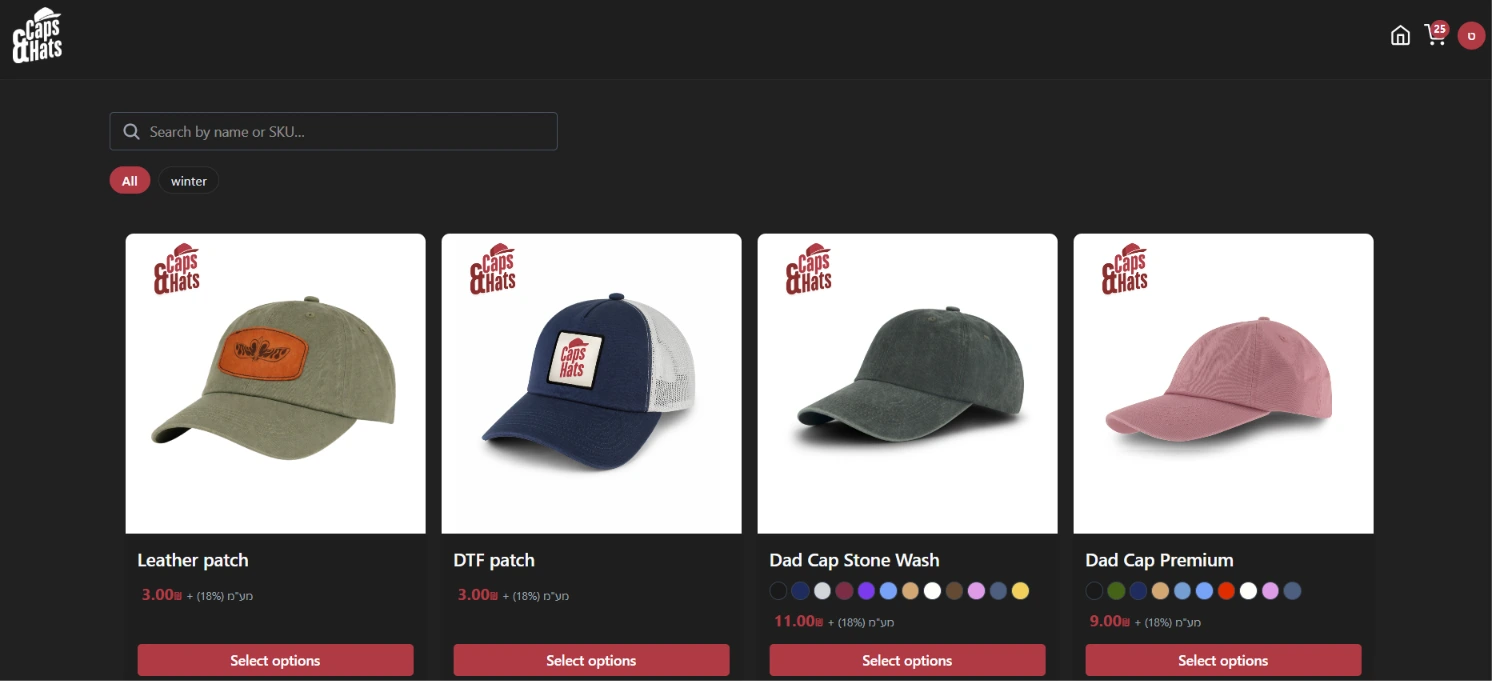
The catalog opens to customers under your own name, logo and address, with search, category filters, the colours in stock and a price on every product.
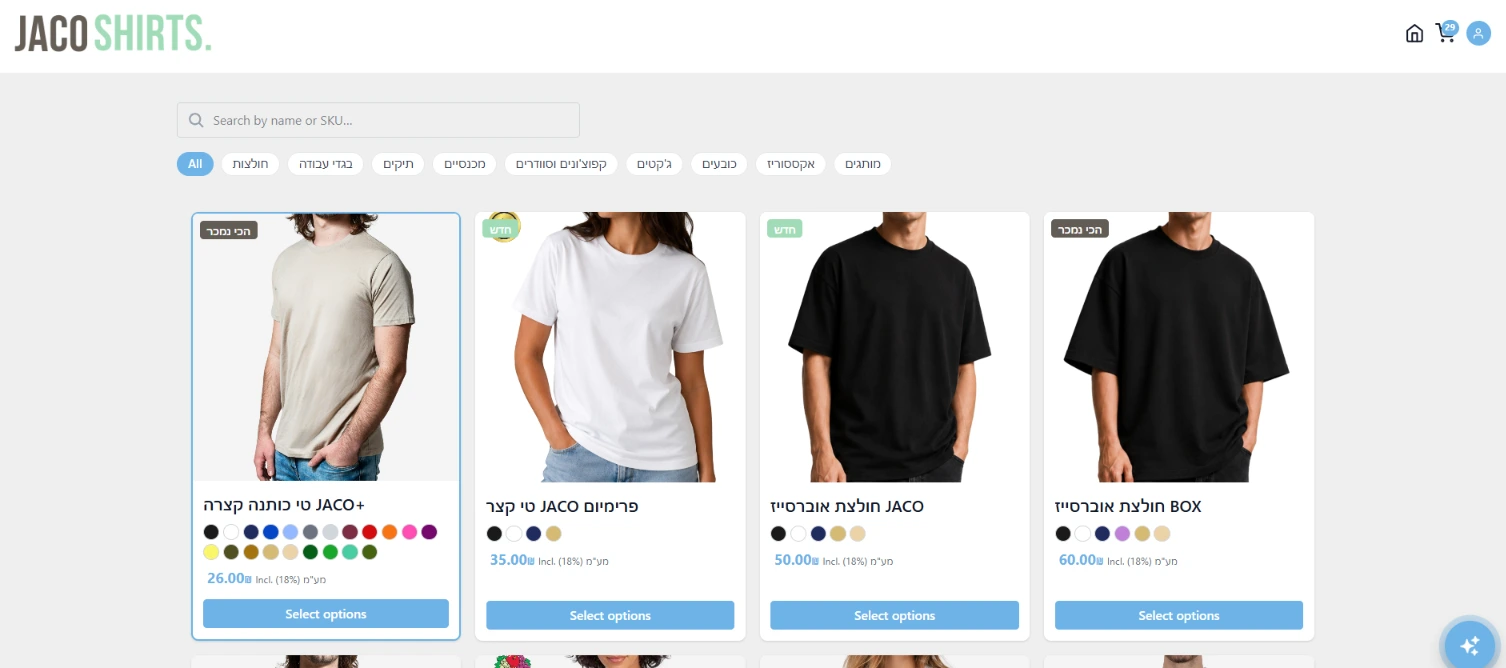
Every supplier gets their own
The same system wearing a completely different brand. The colours, the logo and the products are yours, and the customer sees no sign of software behind it.
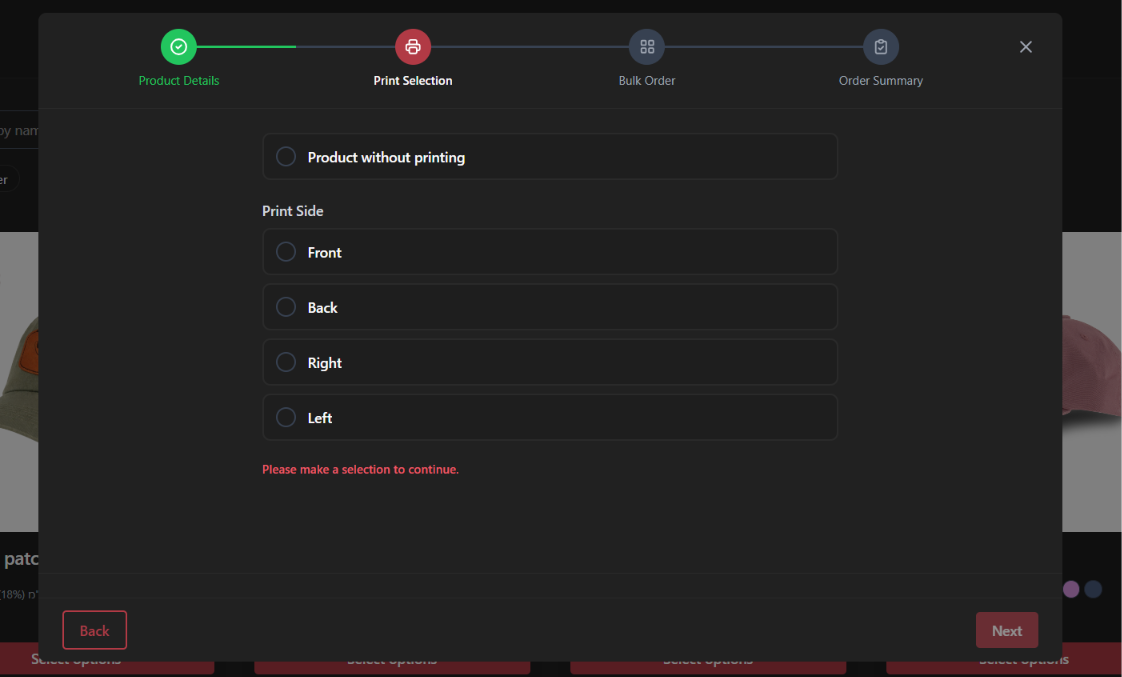
You decide what the customer chooses
The ordering flow is built from the steps you define, including the option to order a product with no printing at all.
Questions shops ask
We sell to print shops, not to end customers. Does this fit?
That is what this page is about. Your customers are businesses that buy from you repeatedly, so each one gets an account of their own with the payment and shipping terms you set for them, and a repeat order starts from what they already ordered.
Do our customers have to use PrintBlocks too?
No. A print shop signs in to your store from a browser, or connects the store it already runs, or simply goes on sending you a message as before. Nothing asks them to move software.
Can every customer have different prices?
Each customer belongs to a customer type carrying its own discount, which fills in automatically on the orders your team opens for them, and quantity breaks can be set to apply in the store. A full price list, a separate price per product per customer, lives in the partner portal for suppliers who also work that way.
Can we show customers only part of the catalog?
Yes. You choose which products appear in each store, and you can open more than one store, for example one for print shops and one for a different audience. Prices and stock can also be hidden entirely from anyone who is not signed in.
Do they see our real stock?
Only as much as you want. You can show the exact quantity, show only whether a product is available, mark one that has run out, or take it out of the store until it is back.
Can a customer order from their own website?
Yes. There is a WooCommerce plugin and a Shopify connection that publish your products into their store, and a REST API and MCP server for anything else, including their own AI agent.
What about a customer who keeps ordering over WhatsApp?
They will, and that is fine. Paste their message into the system and it becomes a draft order with the customer, products, and quantities already identified, so an order that arrived as a message joins the same process without being typed out in full.
What does the AI assistant actually answer?
Your own catalog and your own settings: products, prices as that visitor is allowed to see them, stock, shipping and delivery dates, your printing options and the questions you have answered yourself. It only ever talks about things you really sell, and it can hand a customer their order status when you switch that on.
How does this help us get paid?
Payment terms are set per customer, every order shows whether it has been paid and can carry a payment link, and invoices and receipts are kept on the order itself. You can see who has paid and who has not without going through statements.
Can we manage our own incoming stock as well?
Yes. Purchase orders go out to the people you buy from, numbered and emailed, and what arrives can be booked straight into stock, so what your customers see is what actually landed.
Make your catalog available to every print shop you supply.
Let customers check stock, view their prices, place orders, and track deliveries themselves, while your team focuses on sales, service, and fulfillment.